
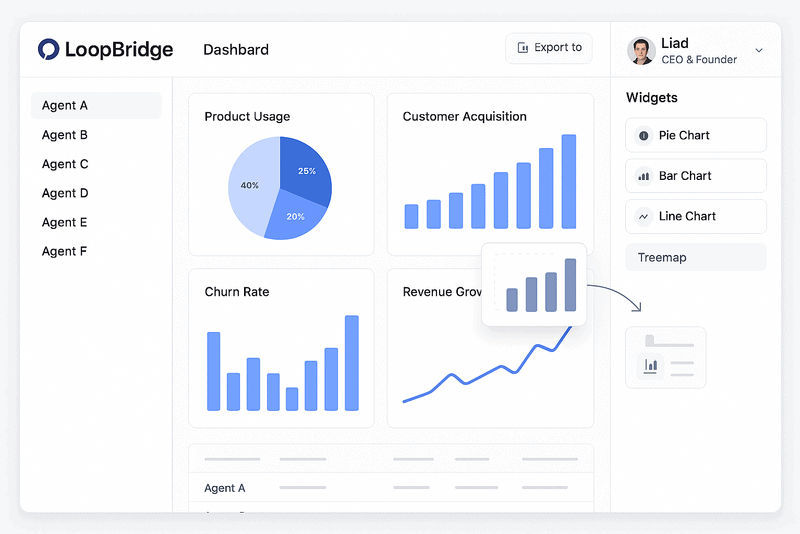
We’re excited to launch something new: The Agent Dashboard.
This feature gives you a clear, visual way to track how your AI agents are performing. No setup needed. No digging through reports.
Whether you’re in product, customer success, or operations, this helps you stay focused on what matters most.
Why This Matters
Until now, it’s been hard to get a full picture of your agents in one place.
The Agent Dashboard fixes that.
You get:
✅ Key metrics at a glance
✅ Dashboards you can customize
✅ One-click PDF reports you can share
All in one place.
Build the Dashboard That Works for You
Creating your dashboard takes just a few steps:
-
Go to any AI Agent
-
Open the new Dashboard section
-
Click the Widgets tab
-
Drag in charts like pie, bar, trend, and more
-
Move and resize them to fit your view
-
Click Save to lock in your layout
You don’t need to code or configure anything. It just works.
Admins: Create a Default Dashboard for the Team
Want everyone on the same page?
Admins can now set a default layout for each agent.
Just click “Edit Default Layout” in the dashboard and arrange it the way you want. Your team will see this view the first time they open the agent.
One-Click PDF Export
Need to share insights with your team, execs, or clients?
Click Export to PDF.
Each widget gets a full page with a clean design, the agent name, and a timestamp. Great for:
📄 Team updates
📊 Executive summaries
📬 Client reports
What You’ll Get
With the Agent Dashboard, you can:
-
Save time
-
Spot trends faster
-
Focus your team
-
Share results with ease
-
Make smarter decisions
All using your existing data.
Try It Today
Agent Dashboards are live and ready to use.
No setup required.
Visit any agent in your workspace and start building your view.
We hope this makes your work easier, clearer, and more impactful.
Let us know what else you’d like to see next.
Enjoy the new dashboard! 🚀


